
Approve every change.
Pass every audit.
Onboard suppliers, customers, and staff with configurable workflows, counterparty-facing forms, and enforced four-eyes so requesters never approve their own requests.
Design the record. Catch the duplicates. Submit once.
Master data is the spine. Get the form right and you get every downstream approval right. Get duplicate detection right and you stop importing problems before they hit your ERP.
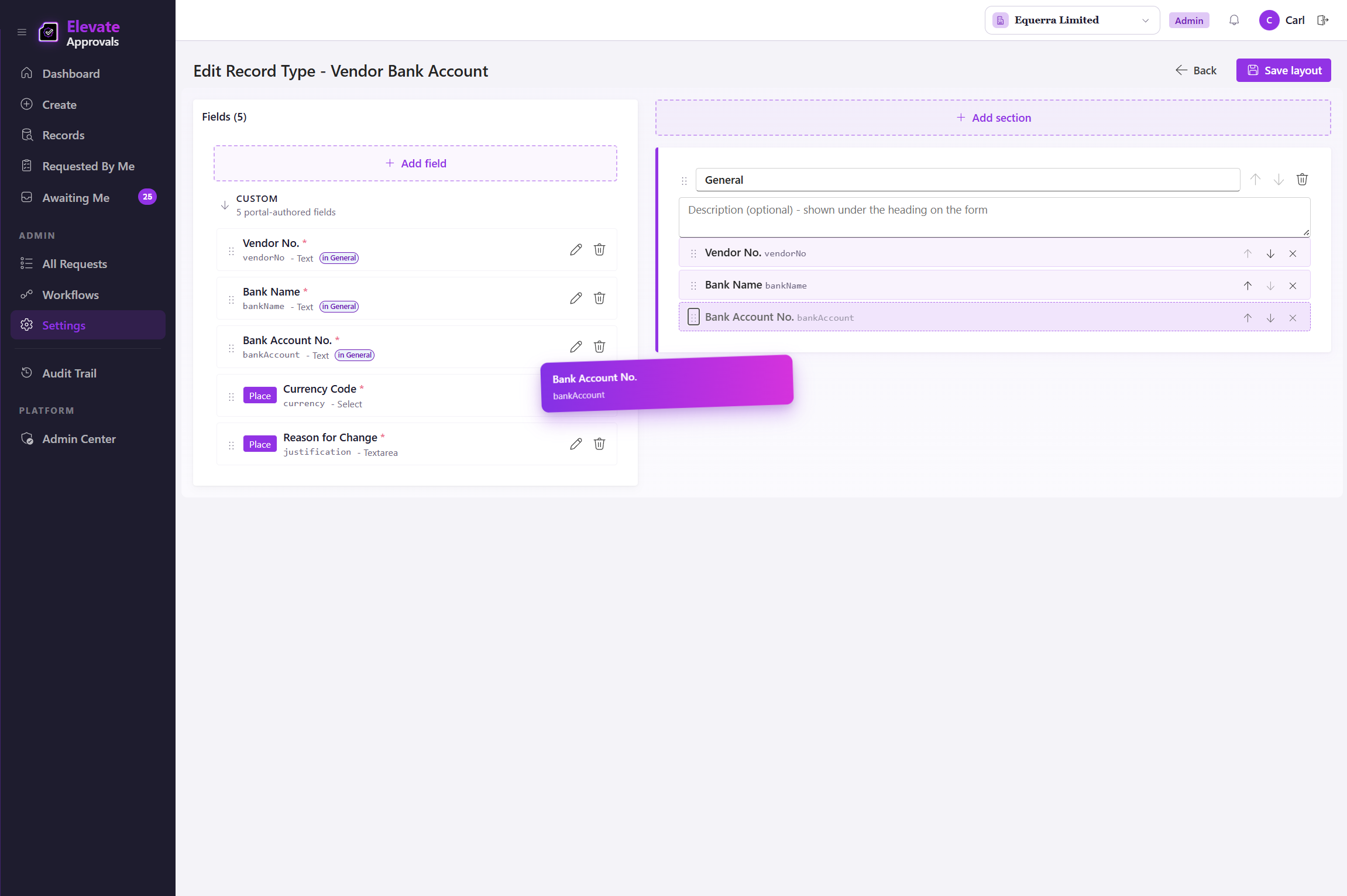
Design any record type in the form builder
Drag-and-drop the fields the record needs. Vendors, customers, employees, fixed assets, items, journals, anything you nominate. Mark the sensitive fields. Set required, conditional, and counterparty-visible flags. No record-type cap and no scripting.
Duplicate detection runs before the request enters the workflow
Four modes catch repeats at submission: exact-match block, exact-match warn (with "Proceed Anyway"), normalised name, and substring. The check happens on the form, so a vendor who is already in the system never makes it to an approver.
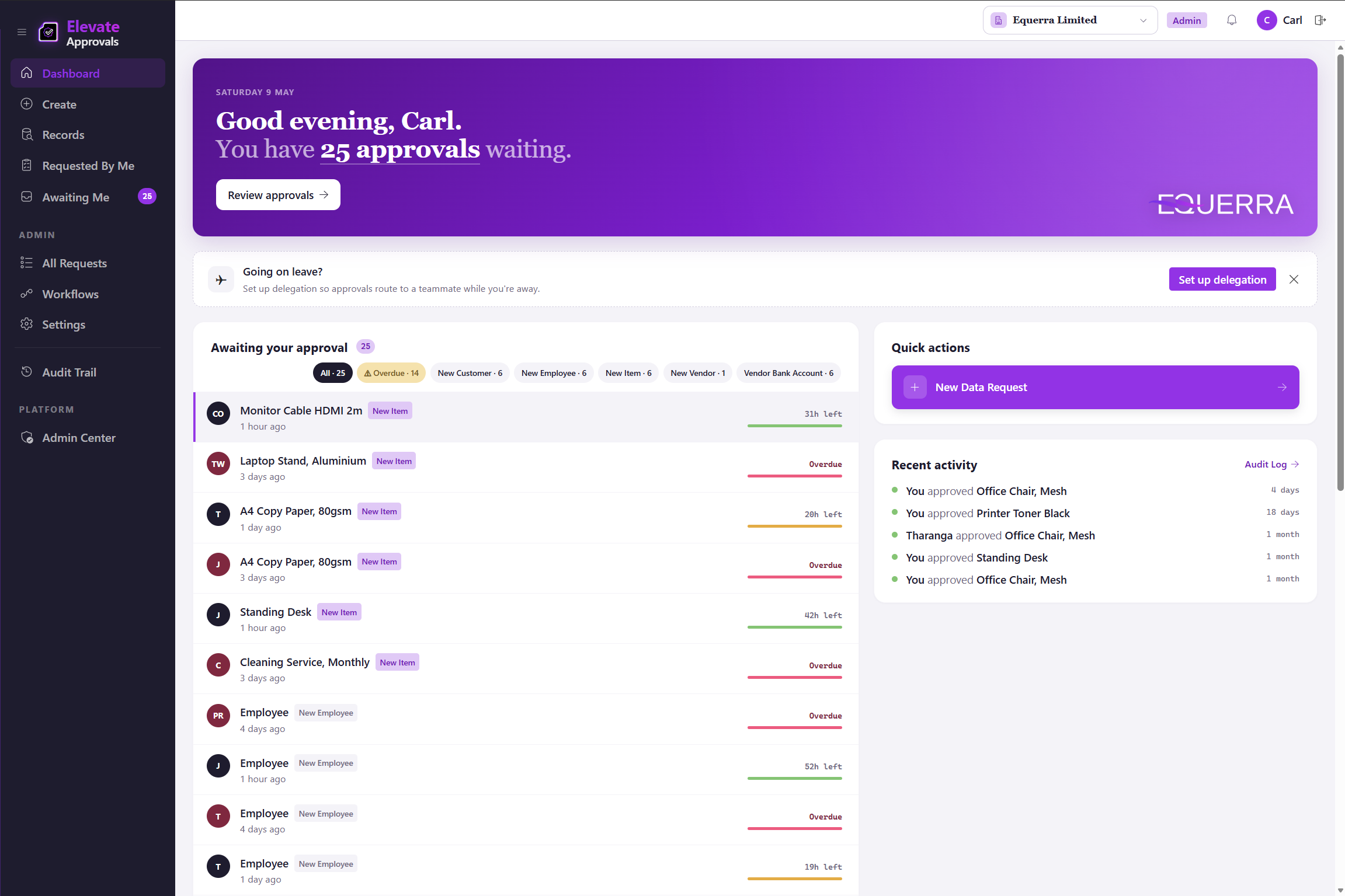
Approvers see what is waiting, auditors see who signed off
One dashboard. Approvers open it, clear the queue, and move on. Auditors open it, read the trail, and close the question. Every action time-stamped, attributed, and immutable.
See the form builder and duplicate-detection modes on the product page.
The other party fills the form. The engine routes the request.
One secure link replaces the email-and-attachment relay. The routing engine sends the completed request to the right approvers, in the right order, every time.
The supplier fills the form. You receive the record.
Send one secure link. The supplier, customer, or new starter fills in their own details on a counterparty surface that is scoped to that one request. No login, no attachment relay, no copy-paste from email. Counterparty forms work on every workflow type. Supplier onboarding, customer onboarding, and new-starter forms are the example scenarios; the mechanism is universal.
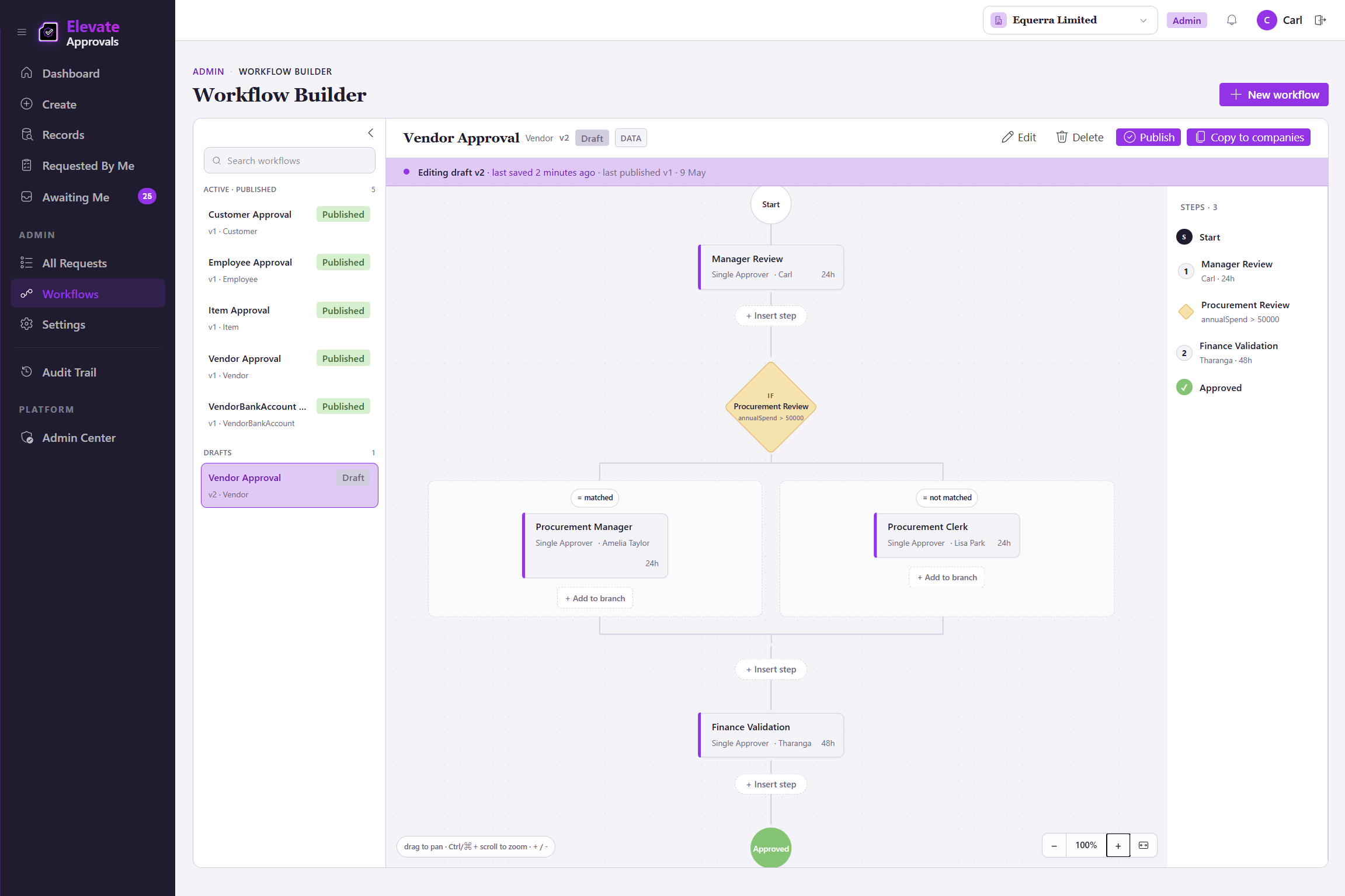
Approvals follow the org chart. Not the inbox.
Single, group (first to approve), group (all must approve), and quorum. Conditional and field-routed branches layer on top. Per-step SLA rules trigger automated escalation when a step stalls, so out-of-office never becomes an approval gap. Group, quorum, conditional, and field-routed steps are part of the Advanced Workflows add-on; single-approver and four-eyes ship on every plan. See the four-act walkthrough or the REST and webhook integrations that connect it to your ERP.
Approvers approve. The trail proves it.
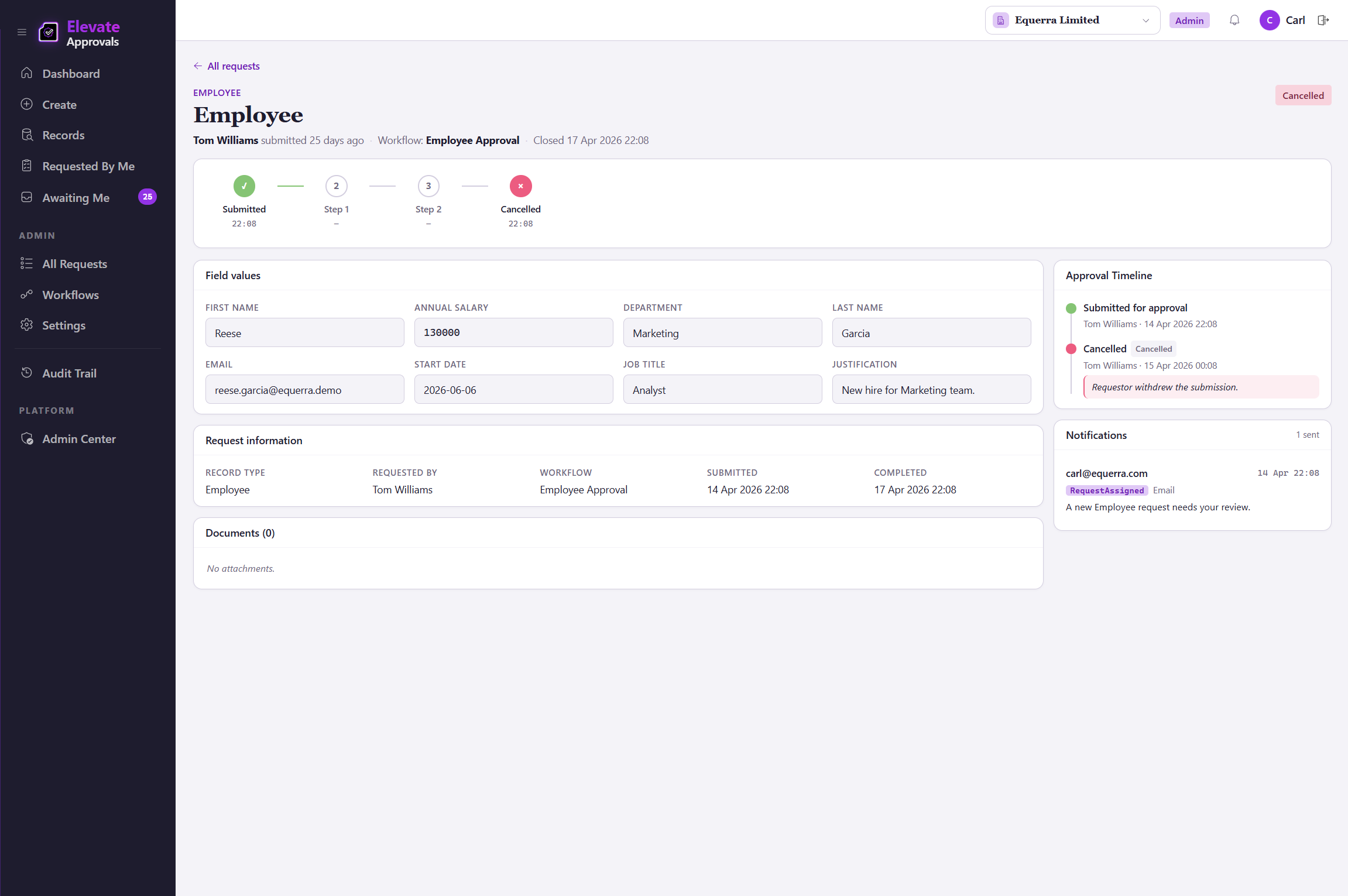
Every action time-stamped and attributed. Four-eyes excludes the requester on the workflows you nominate. The audit trail is the artefact a security review actually opens.
One queue, every approval
Approvers see what is waiting and clear it. Reject with a comment, return for rework, or delegate when out of office. The queue spans every record type and every workflow, scoped to what each approver can act on.
Four-eyes on every workflow you nominate
A workflow-level control, not a field gate. When the requestor is also configured as an approver, the engine forces a second authorised signature, so the requestor is never the sole approver. Available on every plan.
Connect to your systems of record
A native Microsoft Dynamics 365 Business Central connector for read and write-back. REST APIs and webhooks for any ERP, HRIS, or CRM.
Every change, attributed and time-stamped.
One sign-in covers every company in your environment, scoped to the entities and approvals you grant.
The NZ Privacy Act 2020 added IPP 3A on 1 May 2026. Your supplier onboarding should too.
Vendor bank account changes still happen by email. Customer credit limits still get raised in the comments of a spreadsheet. Email is not an audit trail. It never was.
Most attacks succeed through one email and one accepted change. The control that catches them is not in your inbox.
You now collect personal data only with consent and a documented purpose. Supplier and employee onboarding has to prove it.
Boards have started reading approval logs the way they read financial statements. The trail is the artefact.
Most mid-sized businesses run on friction. Approving every record before you transact removes one source of that friction, permanently.